Mobile Players Guide
Touch controls and on-the-go raiding for vault PvP.
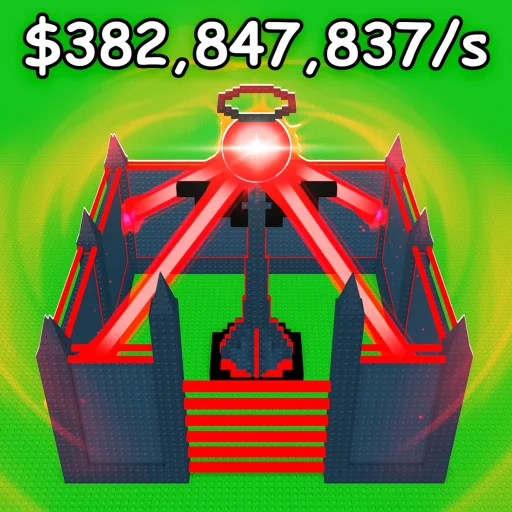
Millions of Roblox players experience Build to Defend Loot on phones and tablets — and many treat mobile as their primary platform for checking offline earnings, launching quick raids, and spending conveyor belt income throughout the day. TwoBrothers Games built the same PvP base loop for everyone: central vault, wall rings, traps, loot steals, and passive income when you close the app. This guide explains how to win on touch controls without fighting the UI.
Compare desktop nuances on PC players and shared basics on the players hub. Beginners should read getting started first, then redeem codes using the redeem walkthrough.
Mobile strengths in Build to Defend Loot
Short burst raids — Open app, hit an offline base, extract loot, log off. Touch suits simple paths more than frame-perfect jump chains.
Offline income checks — Mobile notifications and quick logins help you collect capped earnings before raiders drain your vault.
Accessibility — No gaming PC required; full progression including rebirth remains available on modern devices.
Touch control tips
Camera management — Pinch zoom when placing walls near the vault; wide camera angles cause misaligned segments that raiders exploit.
Jump and move — Use Roblox mobile jump button consistently; practice vault approach jumps on your own base before ranked raids.
UI scale — Increase Roblox UI scale in settings if conveyor shop buttons feel too small — mis-taps waste currency.
Shift lock (if available) — On supported devices, lock camera while strafing along wall grids during build mode.
Building on mobile
Complex base building layouts are absolutely possible on mobile — prioritize readability over flashy geometry:
- Use ring layouts from the walls tier list with clear single gates
- Place defenses on straight choke segments first; add jump blocks after core works
- Rebuild in small sessions to avoid fatigue mis-placements
If a layout fails repeatedly, simplify path length before blaming gear tier.
Mobile raiding meta
Favor loot roles from the loot tier list that forgive aim variance:
- AoE clear for common trap clusters
- Steal-speed or capacity modifiers on offline targets
- Shorter animation weapons so you are not stuck in CC chains
Save precision S-tier picks for PC sessions if you dual-platform — or practice one main loadout until muscle memory solidifies.
Read raid and loot strategy with mobile timing in mind: you need fewer perfect jumps, more reliable extraction.
Performance, battery, and data
- Lower Roblox graphics one notch on older phones to prevent raid stutter
- Disable extra background apps during conveyor shop sprees
- Wi-Fi preferred for raid windows; cellular works for quick collection trips
- Heat throttling reduces FPS — short sessions beat hour-long grind marathons on phone
Crash mid-raid hurts more on mobile due to reconnect time — raid offline targets when FPS is stable.
Redeeming codes on mobile
Path: Settings (gear) > Codes. Mobile-specific pitfalls:
- Autocorrect changing case — disable or paste carefully
- Trailing spaces when copying from Discord
- Keyboard covering confirm — scroll UI if redeem button hides
Community strings (DEFEND2026, LOOTDROP, NEWBASE, RAIDREADY, SPRINGLOOT, THANKYOU) are unverified — no official Trello. Test once; move failures to expired codes.
Security on mobile
Mobile ads and social posts push fake “free Robux code apps.” Real codes redeem only in-game. Never share passwords or install sketchy APKs promising keyless scripts.
Dual-platform players
Build complex vault geometry on PC if available; raid and collect on mobile daily. Keep loadouts synced to each platform’s strengths rather than identical bars.
Progression checklist (mobile-first)
- Tutorial + first vault ring
- A-tier walls before cosmetic spend
- Offline cap upgrades per offline earnings guide
- Simple raid route on offline bases
- Defense traps on main choke
- Rebirth when guide recommends — not before defenses hold
Track updates — mobile UI fixes often ship quietly.
Related pages
Frequently Asked Questions
Quick answers to the most common questions.
Can I fully progress on mobile only?
Yes — building, raiding, conveyor upgrades, codes, and rebirth all work on the Roblox mobile app. PC offers precision advantages but is not required.
Why do codes fail on my phone?
Usually typos, autocorrect changing case, or expired promos. Paste carefully and compare the expired codes page before retrying.
What is the best mobile raid strategy?
Target offline bases with simple paths, use forgiving AoE or steal-speed loot, and exit fast. Avoid complex jump raids until practiced.
How do I build a strong vault on mobile?
Use zoom, ring layouts, and straight choke traps. Follow walls and defenses tier lists — simple delayed paths beat fancy shapes that misalign on touch.
Do mobile players fight PC players?
Yes — shared Roblox servers. Mobile raiders face PC defenders and vice versa. Adapt loadouts rather than expecting input parity.